Plans and limits
Luzbase has a Free plan and a paid plan, Luzbase Pro. This page explains what Pro adds, whose plan counts in a shared project, and what happens at a limit. For current prices and the exact numbers on each plan, see luzbase.com/pricing.
The plans
Section titled “The plans”- Free is yours to keep. It isn’t a trial, and you don’t need a card.
- Luzbase Pro is billed monthly or yearly. When yearly billing saves you money, the Annual option on the pricing page shows how much.
For a research group, department or institution, contact us.
What Pro adds
Section titled “What Pro adds”| Feature | Free | Pro |
|---|---|---|
| Collaborators per project | Limited | More (see pricing) |
| Photo captures (photo to LaTeX) | A few each month | More (see pricing) |
| Version history | A limited window of recent history. Older versions are hidden, and their stored files are later deleted (details). | Full history |
| Storage for your project files | Smaller allowance | Larger allowance |
| Private snippets | No, snippets are public | Yes |
| Compile queue | Standard | Priority |
| Live error checking (the LaTeX language server), with extra completions | No | Yes |
| Zotero and Mendeley sync | No | Yes |
The exact numbers can change, so this page doesn’t repeat them. The pricing page and your Billing page always show the current values.
The same on every plan
Section titled “The same on every plan”These don’t depend on your plan:
- Compiling: the same TeX distribution, compilers and time limit for everyone
- The code and visual editors, autocomplete and the PDF preview
- Real-time editing, branches, pull requests and discussions
- Templates, including private ones
- Downloads and exports
- File limits, such as the maximum file size and the allowed file types. See Limits.
Whose plan counts
Section titled “Whose plan counts”In a shared project, some limits follow the project owner’s plan and some follow yours.
| Limit | Whose plan |
|---|---|
| Collaborators per project | The project owner’s |
| Version history window | The project owner’s |
| Storage used by the project’s files | The project owner’s |
| Photo captures | Yours, the person taking the photo |
| Priority compile queue | Yours, the person compiling |
| Live error checking | Yours |
| Private snippets | Yours |
| Zotero and Mendeley sync | The member who linked the library |
So if you’re on Free and a Pro user invites you to their project, that project gets the owner’s collaborator limit and full history.
How collaborators are counted
Section titled “How collaborators are counted”The collaborator limit counts the members of a project plus its pending invitations. The owner doesn’t count. A pending invitation holds a place until it’s accepted, revoked or expires.
How storage is counted
Section titled “How storage is counted”Storage is counted across every project you own, not per project.
- It counts the files you upload and write, including uploads you haven’t saved in a version yet.
- A file kept unchanged across many versions and branches counts once.
- Compiled PDFs and exports don’t count.
- A file that older versions still use keeps counting after you delete it from the current files. The space comes back when nothing in the project uses the file any more, for example when you delete the project.
When you reach a limit
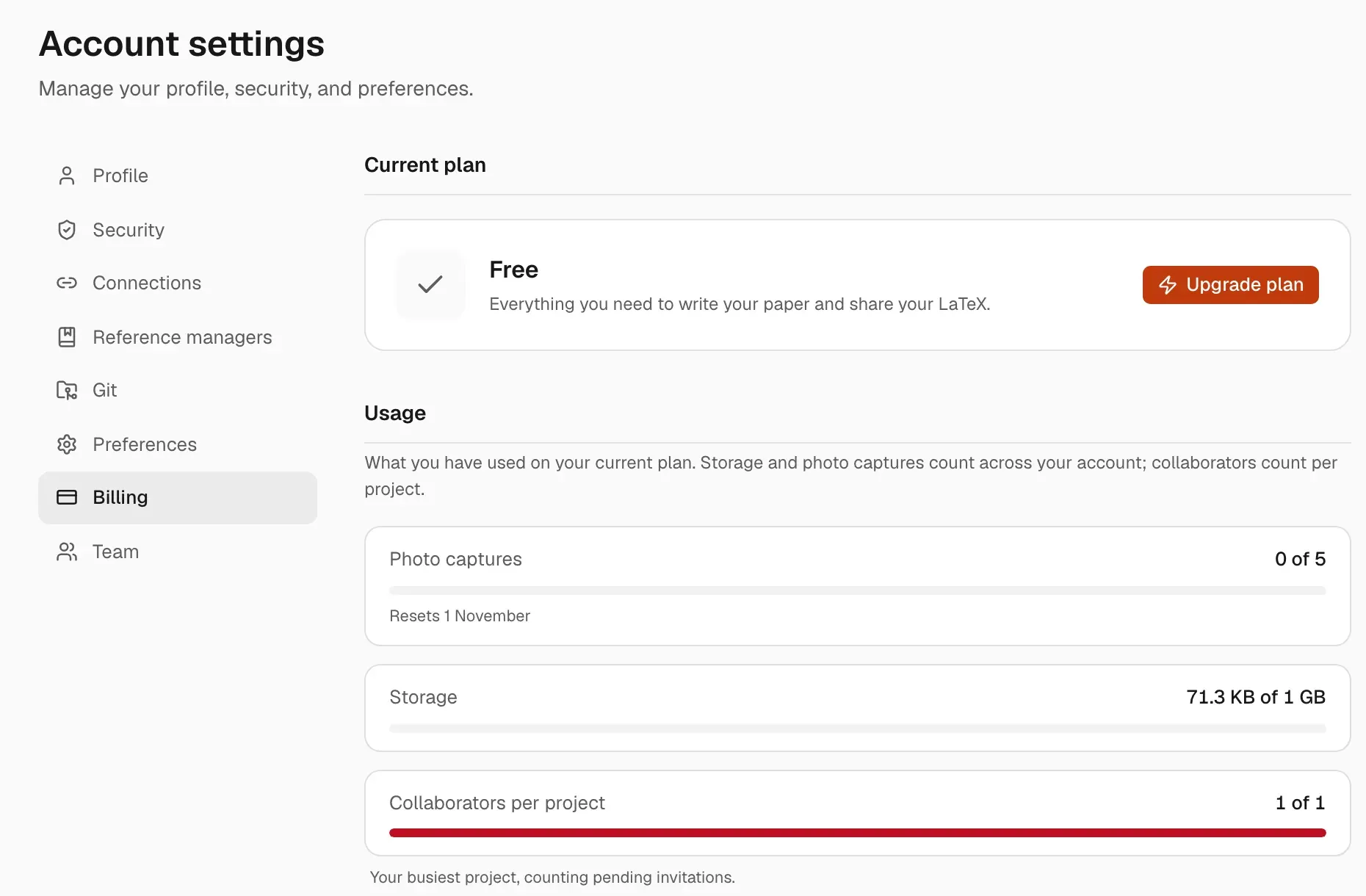
Section titled “When you reach a limit”Luzbase stops the action and opens a dialog that names the limit, for example Collaborator limit reached, Photo capture limit reached or Storage limit reached. It tells you what you’ve used and offers an upgrade.
- Photo captures reset at the start of each month (UTC).
- Storage doesn’t reset. Delete files you no longer need, or upgrade.
- Reaching a limit doesn’t delete the files you have now. The one exception is old version history: on the Free plan, the stored files of versions older than the history window are deleted after an email notice. See Version history.
See your usage
Section titled “See your usage”Open your avatar menu and click Billing. Under Usage you see:
- Photo captures: this month’s use
- Storage: across your account, with a warning at 90%
- Collaborators per project: your busiest project, counting pending invitations